Repeats
Make a task come back every day, every other Monday, on the 2nd Tuesday or counted from when you finish it. End a series on a date or after a number of times.
A repeating task comes back by itself. As soon as you finish one, the next one appears on its next day.
Pick a repeat
Open a task and click the repeat button, just after priority. Then pick one of the presets:
- Every day
- Every weekday (Monday to Friday)
- Every week
- Every 2 weeks
- Every month
- Every year
Repeating tasks have a small repeat icon on their line.
You can also type the repeat when you add the task, like “water the plants every monday”. See Dates and times.
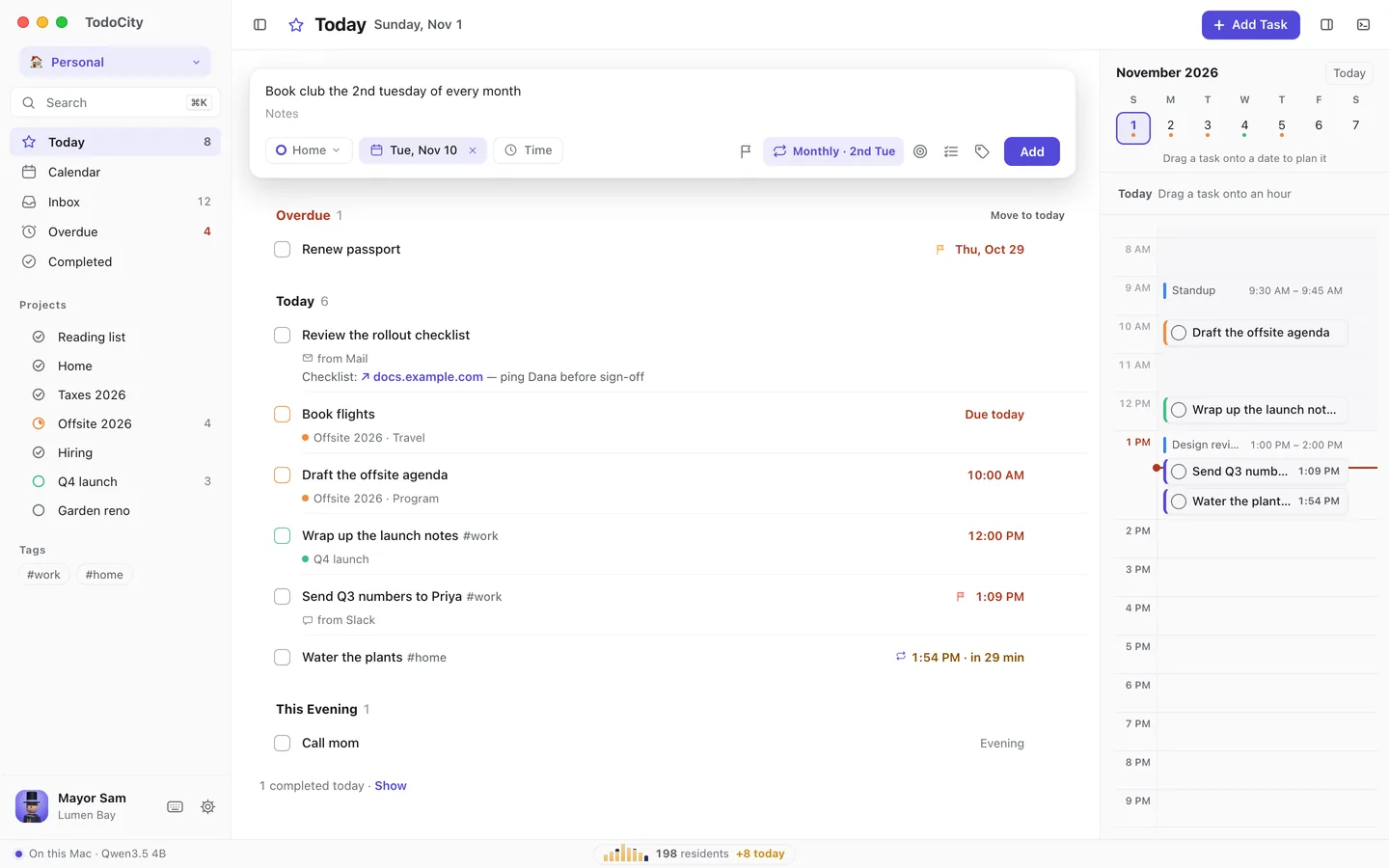
Custom repeats
For anything else, click Custom….
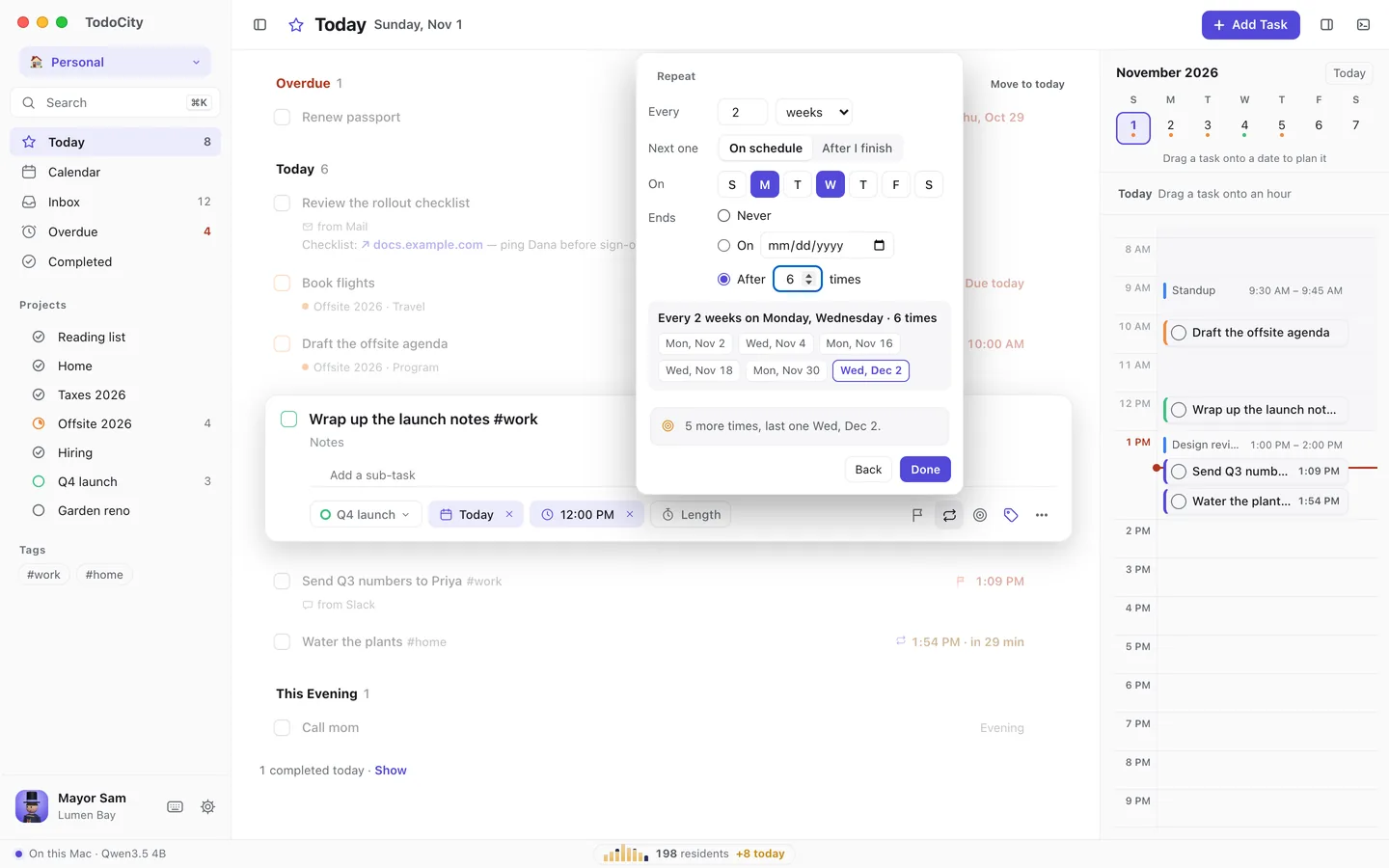
| Setting | Choices |
|---|---|
| Every | A number of days, weeks, months or years, like every 3 days or every 2 weeks |
| On | For weeks, which weekdays, like Monday and Wednesday |
| The | For months, a weekday like the 2nd Tuesday, or The last day |
| Next one | On schedule, or After I finish to count from the day you finish it |
| Ends | Never, on a date, or after a number of times |
Underneath, TodoCity lists the next few days it will land on, for example “5 more times, last one Wed, Dec 2.” Click Done to save.
After I finish
With After I finish, the next one is counted from the day you actually finish the task, rather than the day it was planned for. “Every 2 weeks, after I finish” works well for things like watering plants or getting a haircut.
Deadlines end a series
If a repeating task has a deadline, the series stops at that deadline. The repeat editor tells you, with something like “Ends by the deadline, Dec 18.”
Skip, pause or stop
The repeat button's menu gives you these options:
- Skip next jumps over the next one without finishing it.
- Pause puts the series in Someday, with no reminders, until you click Resume.
- Stop keeps the task but stops it repeating.
- Edit lets you change the repeat.
If a series ends after a set number of times, skipping one still counts towards that number.
Move one day, or the whole series
When you move a repeating task to another day, TodoCity asks whether to move This one or All of them.
Repeats from Todoist and Things 3
Daily, weekday, weekly, every-2-weeks, monthly and yearly repeats come over as the same repeat. Custom repeats come over once, with a note in the task so you can set up a repeat in TodoCity. See Todoist and Things 3.