AI models on your Mac
TodoCity writes tasks with a small open model that runs on your Mac. Add, switch or remove models in Settings → Open models.
TodoCity reads what you capture using a small open model that runs on your Mac. You download it once, and after that it works offline. You can manage it in Settings → Open models.
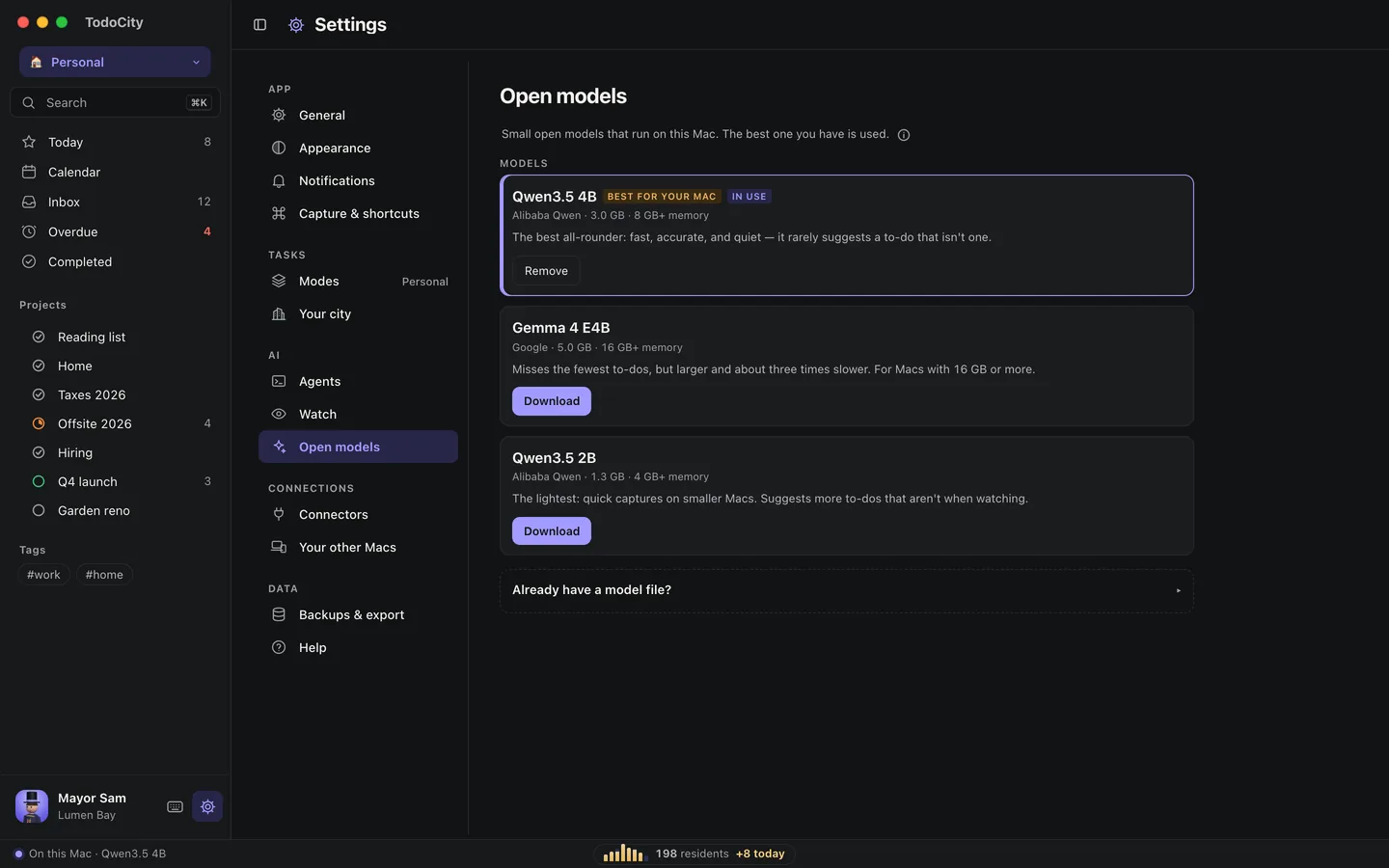
The models
TodoCity offers a few small models, chosen through its own tests of turning messages into tasks. All three are under the Apache 2.0 license.
| Model | Download | Memory | Good for |
|---|---|---|---|
| Qwen3.5 4B | 3.0 GB | 8 GB or more | The all-rounder. It's fast and accurate, and rarely suggests a to-do that isn't one |
| Gemma 4 E4B | 5.0 GB | 16 GB or more | Misses the fewest to-dos, but it's larger and about three times slower |
| Qwen3.5 2B | 1.3 GB | 4 GB or more | The lightest, for quick captures on smaller Macs |
The model that suits your Mac's memory is marked Best for your Mac, and the one TodoCity is using right now is marked In use.
Add a model
- Open Settings → Open models.
- Click Download on the model you want. You can Pause a download and Resume download later, and it picks up where it left off.
- Start capturing. If you have more than one model downloaded, TodoCity uses the best one.
Private by default
Models download from Hugging Face, and TodoCity checks each file against its SHA-256 before using it. From then on, capture runs entirely on your Mac.
Use a model file you already have
If you already have a GGUF model from Ollama, LM Studio or Hugging Face, you can use it without downloading anything:
- Open Already have a model file? at the bottom of Settings → Open models.
- Copy the file's path. In Finder, right-click the file, hold ⌥ and choose Copy as Pathname.
- Paste it and click Use file.
Any model files TodoCity finds on your Mac appear under Found on this Mac, each with Use. To go back, click Use TodoCity's models.
Remove a model
Click Remove on a downloaded model, then Delete to free up the space. For a model file of your own, Remove from TodoCity just makes TodoCity forget about it. The file itself stays where it is.
Memory and battery
The model only runs when TodoCity needs it. It starts up when you capture something, and after five minutes of not being used it stops and gives the memory back. It also stops when you switch models or quit TodoCity.
Without a model
Everything in TodoCity works before you add a model. When you capture, the card opens with your text so you can write the task yourself, and any dates you type are still read for you. Add a model whenever you're ready.
Watch
Watch can use the open model on your Mac to spot to-dos on your screen, or hand them to an AI agent you've connected. When watching, the lightest model tends to flag things that aren't really to-dos, so a larger one is a better fit for Watch.